
Play the music. The lights follow.
BPM-DMX listens to your DJ set or your band, finds the beat, the verses and the drops, and runs your DMX lights to match. There's nothing to program before the gig.
In private beta now. Runs in Chrome or Edge on a laptop.
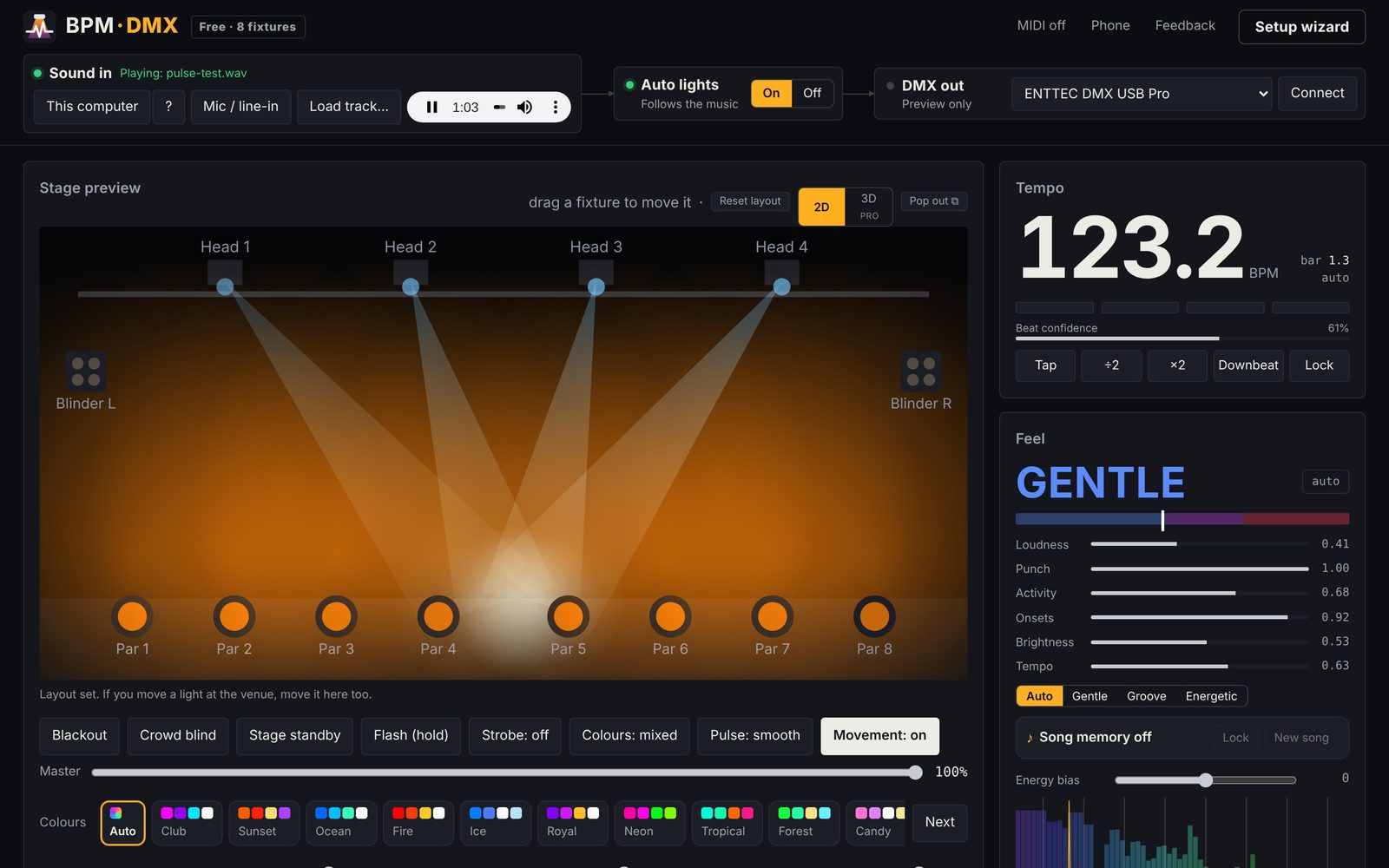
Ready in the time it takes to set up the decks.
Plug in
Connect a USB DMX cable from your laptop to your first light. Daisy-chain the rest as normal.
Tell it your lights
The setup wizard walks you through it. Pick each fixture from 2,163 models across 203 brands, or import a GDTF or QLC+ file.
Play
Use your laptop's mic, a feed from the desk, or the track playing on the laptop. The show starts with the first beat.
It hears the song, not just the beat.
Most sound-to-light flashes on every kick drum. BPM-DMX follows how the song builds, so a quiet verse stays calm and the drop gets the big moment. It works with live bands too, because it reads the room rather than a track file.
- Gentle
- Slow colour washes and soft movement for first dances, intros and ballads.
- Groove
- Lights move with the bar, with chases across your bars and heads.
- Energetic
- Hits, strobes and fast colour changes when the chorus or drop lands.
More with Pro.
Plan the rig in 3D
Lay out the stage on the tripods and stands you own. Auto-design suggests where each light should go.
Song memory
It remembers how each song went and has the right looks ready the next time you play it.
Phone remote
Blackout, change looks or hold a strobe from your phone while you play.
Pixel effects
Ripples, sparkles and level meters along LED bars and battens.
Bigger rigs
Unlimited lights over up to 8 universes. Wireless and network DMX (Art-Net, sACN) through the free BPM-DMX Bridge.
Connect your gear
OSC control, Philips Hue lights, and DMX input from a lighting desk.
Start free. Pay when the rig grows.
Prices from launch. Pro will come with a 7-day free trial.
Free
£0
- The automatic show on up to 8 lights
- One DMX universe
- Setup wizard and 2D stage preview
- The full fixture library
Pro
£6.99 a month
£59 a year
£149 once, for life
Founders' lifetime price: £99 until launch.
- Everything in Free, with no light limit
- Up to 8 universes
- 3D planner, song memory, phone remote, pixel effects, OSC, Hue and DMX input
Prices include VAT. Monthly and yearly plans can be cancelled at any time.
What you need.
BPM-DMX isn't available on iPad yet; a phone or tablet works as the remote.
- A laptop
- Windows or Mac, with Chrome or Microsoft Edge. Install it from the address bar and it opens like any other app, with or without internet.
- A USB DMX cable
- An ENTTEC DMX USB Pro, or an Open DMX-style FTDI cable such as the DSD TECH SH-RS09B.
- Or wireless DMX
- Send Art-Net or sACN to a wireless or network DMX box with the free BPM-DMX Bridge. It needs Node.js 18 or newer on the laptop for now. Download the Bridge
- Sound
- The laptop's own mic, a line or desk feed through an audio interface, or tracks played on the laptop.
Join the beta.
BPM-DMX is in private beta with a small group of DJs and bands. Tell us about your setup and we'll email you when there's a place. Testers sign in to the app with the email they use here.
Already a tester? Sign in to the app